


WheresTheBus
4.81.85K Reviews
App Specs
- Version
- 5.2.1
- Updated On
- License
- Free
- Downloads
- 100,000+
- Developer
- WheresTheBus
- Categories
- Education
- Platform
- Android
Screenshots
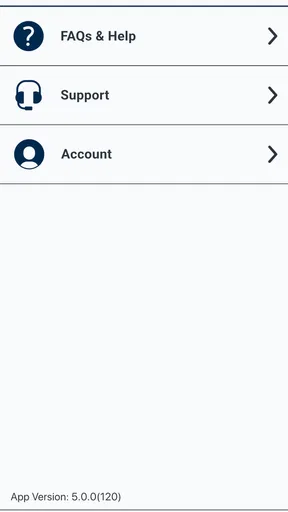
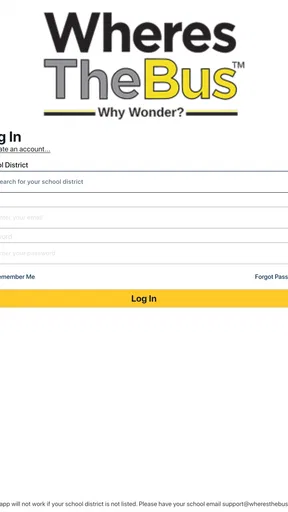
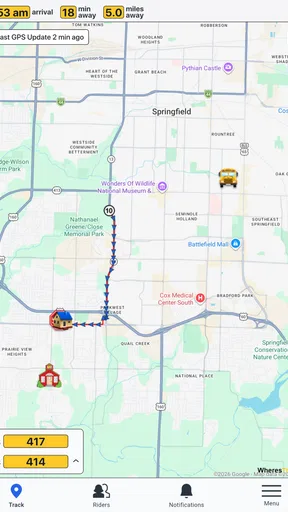
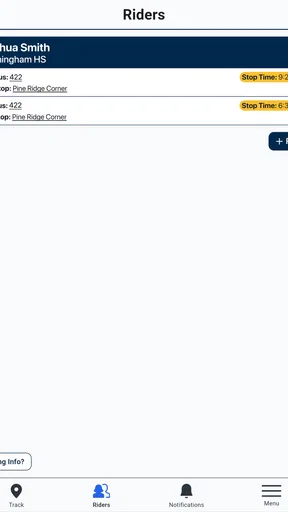
 Analysis by AppCompare
Getting to school or another daily destination is much easier when you know whether the bus is actually approaching, and that is the practical problem WheresTheBus tries to solve. I found it most useful as a focused education app for bus riders, especially when a family wants a simple way to check the ride before leaving home. It is free, rated for Everyone, and developed by WheresTheBus, so the basic barrier to trying it is very low.
My first impression was that this is not an all-purpose travel planner competing with a full mapping service. Its value is narrower and, in the right situation, more useful: it is built around the rider’s relationship with a bus service. That distinction matters. If I need to compare walking, cycling, driving, and several public transport networks, I would reach for a general map app. If I need a quick answer about my regular bus, this is the kind of tool I would keep ready.
How I use WheresTheBus on an ordinary day
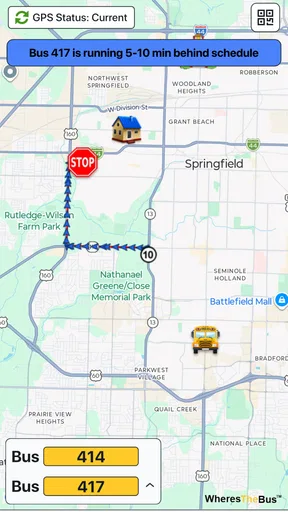
My baseline workflow is deliberately simple. I open the app before heading out, look for the relevant route or stop, and use the information on screen to decide whether I can leave now or need to wait a little longer. That sounds obvious, but it changes the experience of a school run or morning commute: instead of walking to the stop and guessing, I can make the decision indoors.
The strongest use case is a repeated journey. A student who catches the same bus most weekdays does not need to rethink the entire route every morning. A parent can check the service before sending a child outside. Someone meeting a bus at a stop can also use the app to avoid arriving unnecessarily early. In each case, the benefit comes less from exploring and more from reducing a small, recurring uncertainty.
I would not treat the app as a replacement for common sense at the stop. Live transport information can be affected by traffic, operational changes, or a device connection that is not behaving well. I still leave enough time for the walk and for an imperfect arrival estimate. The app improves my planning; it does not turn a bus timetable into a guarantee.
One realistic example is a rainy school morning. A child is ready, but the family does not want them waiting outside longer than necessary. I can check the expected bus situation, prepare the child while watching the timing, and leave when the wait is more reasonable. That small habit is where the app feels more valuable than a static timetable pinned to a wall.
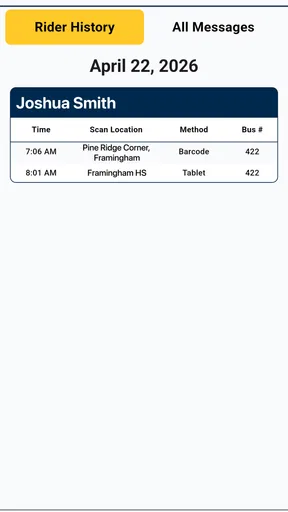
Another useful situation is the end of the school day. Plans often change after classes, and a student may not remember the exact departure pattern. Checking the app before walking to the stop is quicker than asking someone else or relying on memory. It is also helpful for a parent who wants to make a pickup decision without repeatedly calling the child.
Worth Reading Before You Choose

EA SPORTS FC Mobile 26 Is a Bigger Football Game, but It Takes Time

Flipboard Shows What News Apps Must Do Beyond the Feed

Switching to Android Auto Means Rethinking Your Driving Routine

Google Calendar Makes a Crowded Week Easier to Manage

Ludo King Makes the Most of the Minutes Between Plans

Baby Panda World Brings Quick Play to Modern Phones, but Its Game Library Feels Busy
What the app is really good at
WheresTheBus works best when the rider already knows the basic journey. It can support confidence around a familiar stop, but it is not the ideal starting point for someone who has never used the local network. New riders may still need a map, a school transport notice, or instructions from the transport provider to understand which stop and route are correct.
This is an important trade-off. A general navigation app usually gives more context, including alternative modes and broader route planning. WheresTheBus feels more direct when the bus itself is the main concern. I spend less time looking at unrelated travel choices, but I also get less help if I am improvising a completely new trip.
The app’s strong public reception supports that focused approach. It has an average rating of 4.8 from around 6,200 ratings, with roughly 1,800 written reviews, and it has passed 100,000 installs. Those figures do not guarantee that every local setup will feel identical, but they suggest that many riders find the basic experience dependable enough to keep using.
Settings and habits worth checking first
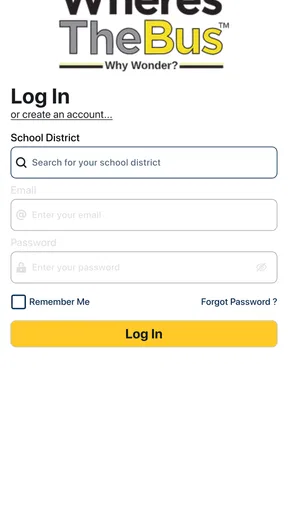
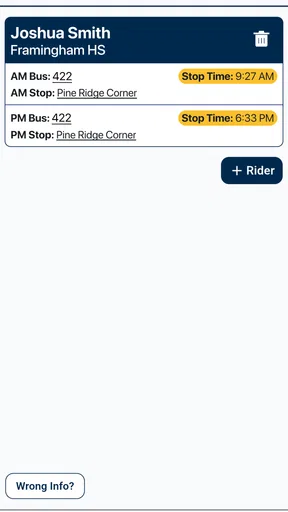
When I install a transport app, I do not immediately rely on its default behavior. I first check the available route, stop, and notification-related choices so the app reflects the way I actually travel. With WheresTheBus, that means taking a moment to identify the stops I use most often rather than treating every morning as a fresh search.
That preparation is more important than it sounds. A few seconds spent learning where the regular stop information appears can save repeated tapping later. I also recommend checking the app at home, while there is time to correct a mistaken selection. Discovering that I chose the wrong stop only after walking outside is exactly the kind of avoidable friction a repeatable setup can prevent.
Experienced users should also pay attention to how they interpret timing information. A displayed estimate is most useful when combined with the time needed to get from the door to the stop. I do not leave when the bus is supposedly one minute away; I work backward from the walk, add a cushion, and use the app as a decision aid. That habit is more reliable than staring at the arrival figure in isolation.
Another practical check is whether the phone is ready to display current information. I make sure the device has a usable connection before depending on the app, and I avoid closing myself into a last-second decision. If the information takes time to refresh, I would rather notice that in the kitchen than at the curb.
Because the app is rated for Everyone, it is approachable for families, including younger riders who need a straightforward routine. Still, I would teach a child to confirm the stop visually and follow ordinary road safety. A simple interface can make checking easier, but it should not encourage a child to focus on the screen while walking or crossing.
Shortcuts that make repeated trips less tiring
The best shortcut is not a hidden button; it is consistency. I use the same checking sequence each time: open the app, go directly to the familiar stop or route, read the current situation, then decide when to leave. Repeating that order makes the app feel faster because I am no longer exploring menus or second-guessing what I need.
I also separate planning from confirmation. Before a new school term or a changed routine, I take a little time to understand the journey. On ordinary days, I only confirm the next ride. Mixing those two tasks every morning wastes attention. WheresTheBus is more comfortable when the complicated thinking happens once and the daily check stays brief.
A second useful pattern is checking at two sensible points rather than constantly refreshing. I check once while getting ready and again before walking out if the timing is close. Repeatedly watching the screen does not necessarily improve the decision, while two deliberate checks give me a better sense of whether I should leave now or wait.
For families, a shared verbal routine can help. One person checks the bus, says which stop and direction they are using, and the rider repeats the plan before leaving. This is especially useful when several routes look similar. The app supplies the information, but the household habit reduces the chance of acting on the wrong result.
I would also keep a backup mental plan. If the app does not load, I want to know the usual stop, the approximate regular schedule, and who to contact if the ride is missed. That is not a criticism unique to this product; it is sensible for any live transport tool. The more important the journey, the less wise it is to depend on one screen without a fallback.
Where it compares well with ordinary alternatives
A printed timetable has one advantage: it works without opening a phone. It is also easy to understand for a route that never changes. The weakness is that it does not help much with the uncertainty of the actual day. WheresTheBus is more useful when I care about the current situation rather than only the planned schedule.
As for general map apps, they are usually better for discovering unfamiliar places and comparing several ways to travel. Their broader scope can also make them feel busy when I only want to check a school bus. WheresTheBus earns its place when the local bus service is already known and the question is simply whether I should start walking.
Calling a transport office or asking another family member can answer an occasional question, but neither is as convenient for a routine check. The app gives the rider more independence. On the other hand, a human contact may be better when there is a special disruption or a situation that requires interpretation rather than a normal arrival check.
For that reason, I see this app as a companion to other information sources, not an absolute replacement. Use it for the repeated live check, use a map when learning a new journey, and keep official notices or personal contacts in mind when something unusual happens.
Limits that experienced users should understand
The biggest limitation is scope. If I am planning a complicated trip across several transport systems, I would not choose this as my only tool. Its focused nature is helpful for a regular bus ride but less convenient for comparing alternatives, building a walking route, or exploring an unfamiliar city.
There is also a learning curve around local terminology. A rider may know the school name but not the exact stop label, direction, or route wording used by the service. That can make the first setup slower than expected. I would solve it by confirming the stop during a calm moment, then keeping that choice consistent instead of searching by guesswork every day.
Live information can also create false confidence if read too literally. A bus shown as close may still require time to reach the stop, and a change in traffic can affect the practical result. My rule is to treat the display as an updated indication, not a promise. This is one of the most important distinctions for children and anyone who tends to leave at the last possible second.
Another limitation is that a focused rider app may not satisfy people who want extensive customization or detailed journey planning. If the main goal is a complete travel itinerary, a larger navigation service may be the better choice. I would skip WheresTheBus for that purpose rather than forcing it into a role it was not designed to fill.
The current version is 5.2.1, and the app requires Android 7.0 or later. That makes it practical for many Android phones, though anyone using an older device should check compatibility before planning around it. The app is free, which makes experimenting easy, but free access does not remove the need to judge whether its local bus coverage and workflow match your daily needs.
Who should use it and who should look elsewhere
I would recommend WheresTheBus to students, parents, and regular riders whose main concern is knowing when a familiar bus is approaching. It is especially suitable for people who prefer a quick, repeatable check instead of a broad travel-planning screen. The Everyone age rating also makes it a reasonable family tool when adults provide basic guidance about safe phone use and confirming the correct stop.
I would be more cautious about recommending it to an occasional visitor who has no knowledge of the local network. That person may need route discovery, maps, walking directions, and broader context first. I would also point frequent intercity travelers toward a fuller navigation or transit-planning option if they need multiple operators and connections in one itinerary.
For a regular rider, though, the app becomes more useful after the first few days. The real improvement comes from building a habit: identify the correct stop, check before leaving, allow walking time, and verify again only when the timing is close. That workflow is simple, but it turns a basic transport check into something dependable.
My verdict after making it part of the routine
WheresTheBus is a practical, narrowly focused education app that earns its place through everyday usefulness rather than a long list of extra tools. I like it most when I already know where I am going and need a current answer before stepping outside. The free price, accessible age rating, and clear focus make it easy to try, while the strong 4.8 average indicates that it has connected with a substantial rider community.
My recommendation comes with one condition: use it as part of a sensible travel routine. Check the correct stop, leave time for the walk, keep a fallback plan, and do not confuse an estimate with a guarantee. If you need a complete trip planner, choose a broader alternative. If your daily question is simply “Should I leave for my bus now?”, this app is a useful answer.
After using it in that way, I see the main strength clearly: it reduces a small but repeated source of stress. It does not need to replace every transport tool. It only needs to make the familiar bus journey easier to judge, and for the right rider, that focused job is exactly why it is worth keeping installed.
Pros
- Live bus locations make it easier to estimate arrival times.
- Supports multiple transit agencies in one convenient app.
- Route and stop information is quick to access.
- Useful alerts can help with delays or service changes.
- Simple interface is suitable for everyday commuting.
Cons
- Coverage depends heavily on whether your local agency is supported.
- GPS data may be delayed or inaccurate during busy periods.
- Some routes may show limited schedule or stop details.
- Requires an internet connection for live vehicle updates.
- Ads or premium features may affect the overall experience.
FAQs for WheresTheBus
What is WheresTheBus and what does it do?
WheresTheBus is a public transportation tracking app designed to help passengers monitor buses in real time. After selecting a route, stop, or nearby service, users can view estimated arrival times and follow vehicle locations when live data is available. It is particularly useful for planning commutes, reducing waiting time, and checking whether a bus is running close to schedule.
Does WheresTheBus provide real-time bus locations and arrival predictions?
The app can provide live vehicle positions and estimated arrival times for supported transit agencies, but the exact information depends on the transportation network and its available data. Some routes may show highly accurate predictions, while others may offer scheduled times only or temporarily lack updates. Weather, traffic, GPS problems, service disruptions, and agency data delays can also affect accuracy.
Is WheresTheBus free to download and use?
WheresTheBus is generally available as a free download, allowing users to access its main bus-tracking features without purchasing a subscription. However, availability, advertising, optional features, or pricing may vary depending on the platform and region. Before installing, it is worth checking the current Google Play or App Store listing for in-app purchases, supported locations, and any recently introduced limitations.
Which locations and transit systems are supported by WheresTheBus?
Support is based on the transit agencies and regions connected to the app, so WheresTheBus may not work equally well everywhere. The best way to confirm compatibility is to search for your city, transit provider, or route after installation and review the app’s official store description. If your local agency is not included, the app may not display routes, stops, or live arrivals.
Does WheresTheBus require an internet connection or access to my location?
An internet or mobile-data connection is normally needed to download updated schedules, retrieve live bus positions, and receive service information. Location permission may be requested to identify nearby stops and simplify route searches, but it is not always essential if you manually choose a stop or route. You can review and change these permissions in your device settings, although restricting them may reduce convenience.


